HUVA converts routine intake into structured work instead of another message to interpret.
 HUVAFront Desk
HUVA FRONT DESK
Turn every intake channel into work your team can see.
HUVA Front Desk handles routine calls, scheduling requests, incoming faxes, and referral intake while keeping staff in control of exceptions and final decisions.
- One queue
- Phone, web, messages, and Fax
- One case
- Patient context and next action stay linked
- Human control
- Exceptions wait for staff review
HUVA Front DeskWorking product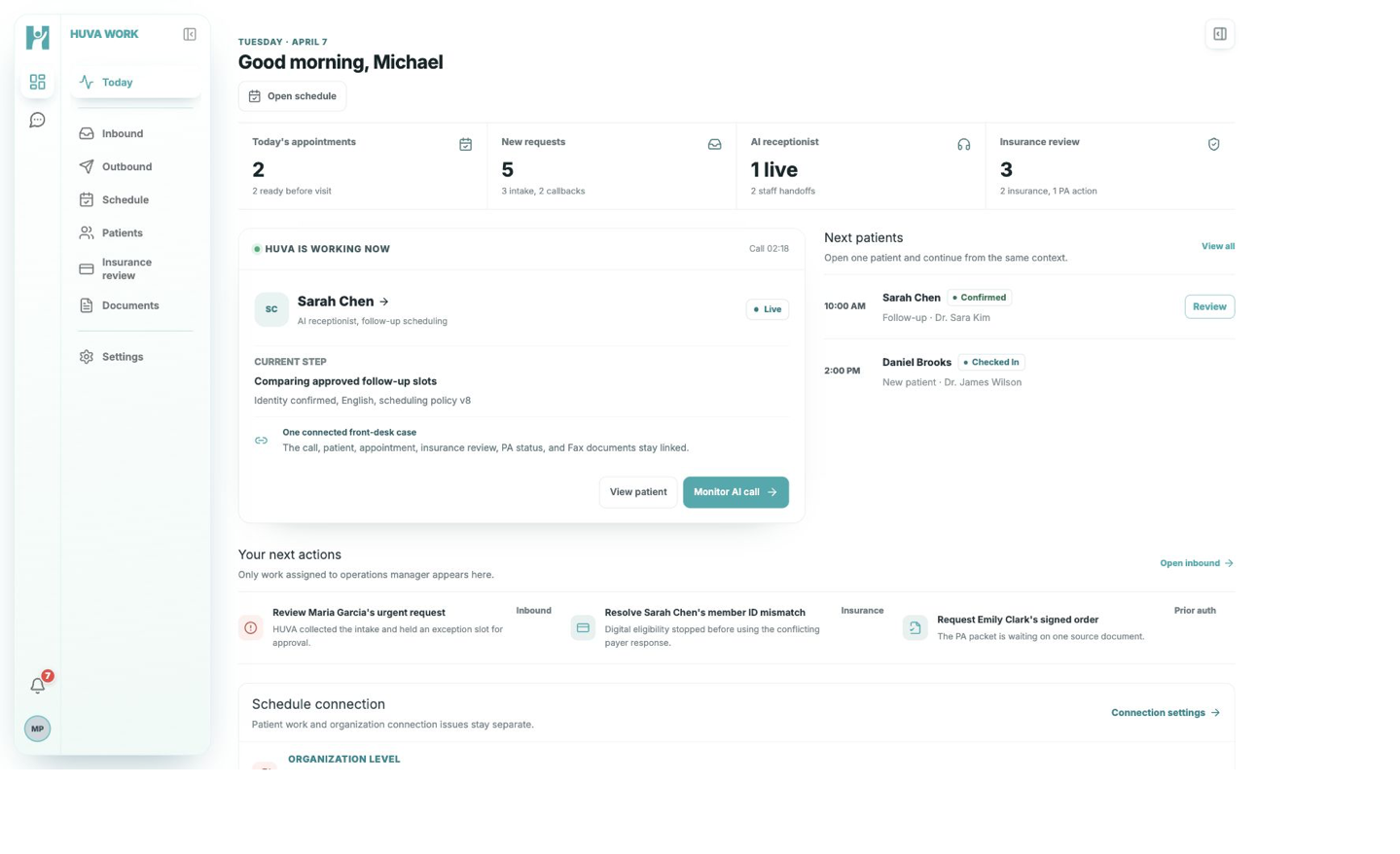
Less reconstruction. Clearer ownership.
Uncertainty, urgency, and incomplete information are made visible for staff review.
The original call or document stays connected to the case your team continues.
See the work move from intake to a controlled next step.
These current product screens show how HUVA turns a call into a staff-reviewable case, keeps approved follow-up traceable, and prepares Fax referrals for confirmation.
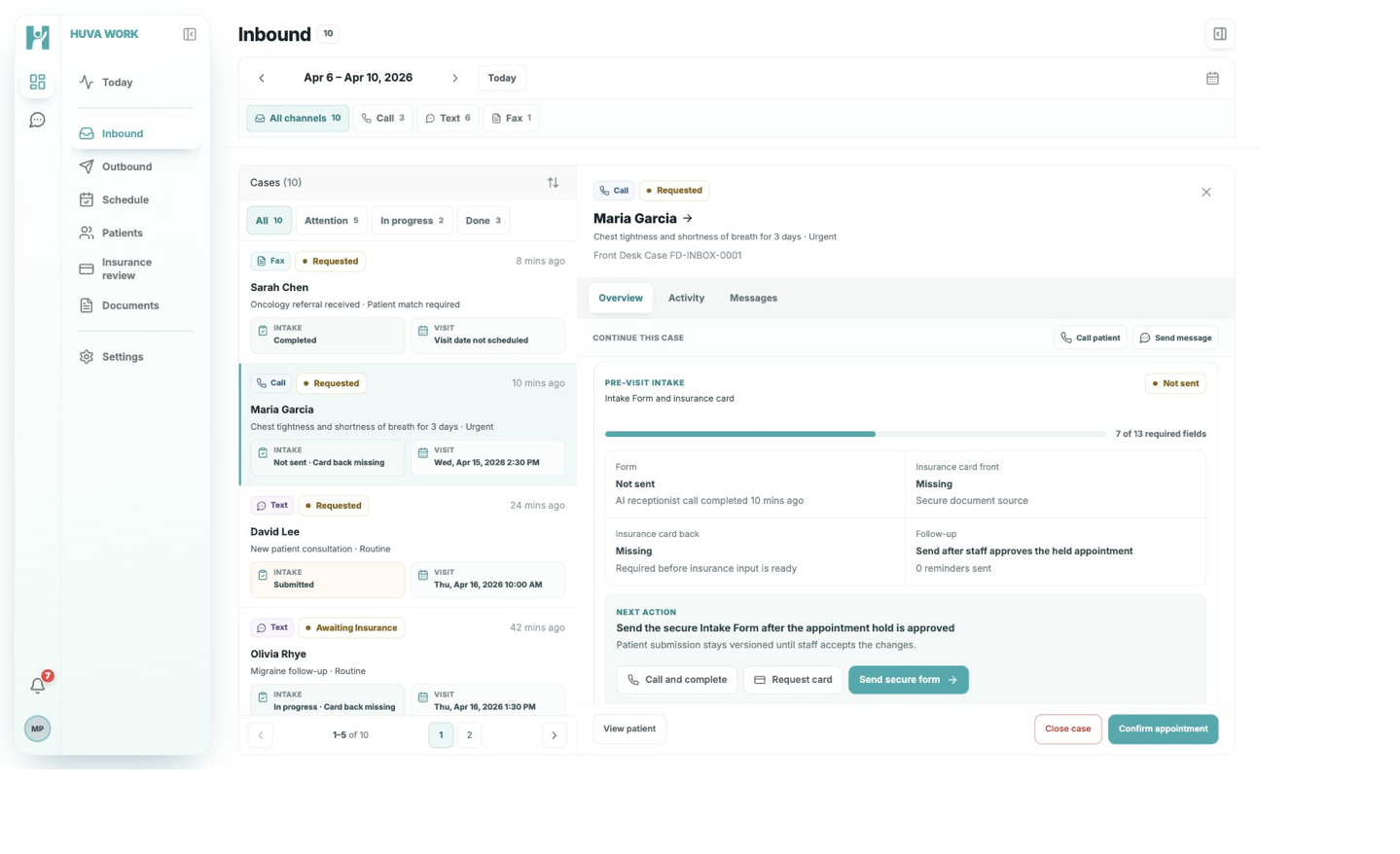
01FROM CALL TO CASE
The AI receptionist ends with a case your staff can review.
The request, preferred time, payer status, contact details, and HUVA summary stay together. Staff can review the full context and decide whether to confirm, contact the patient, or keep the case open.
- Call source and Front Desk Case ID retained
- Visit reason and requested time captured
- Insurance status visible in the same case
- Final appointment action stays with staff
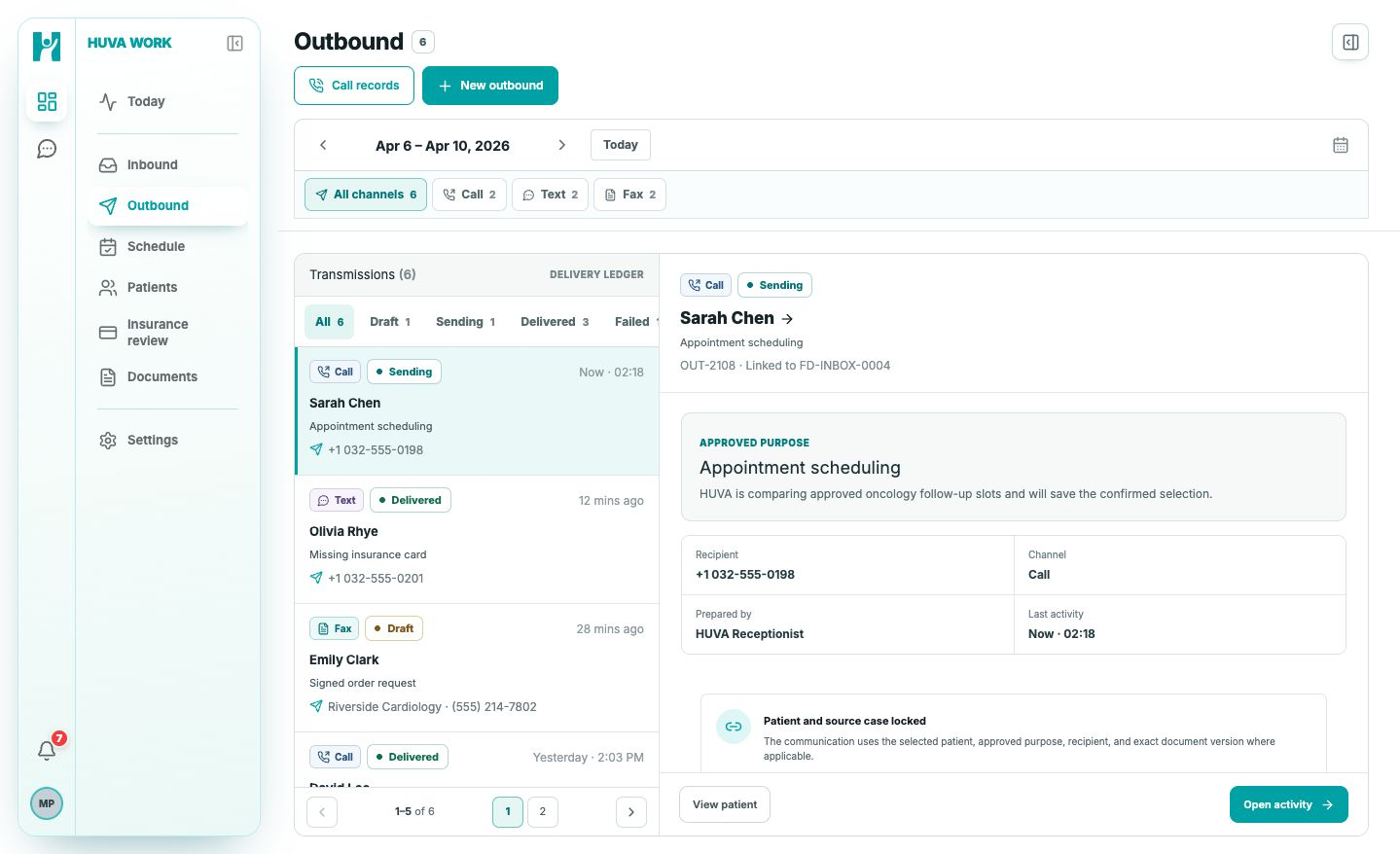
02CONTROLLED FOLLOW-UP
Approved follow-up leaves through the same patient-linked workflow.
Calls, texts, and Fax transmissions share one delivery ledger. HUVA keeps the approved purpose, recipient, channel, and source case visible while the work is being sent.
- One outbound ledger across channels
- Approved purpose and recipient remain locked
- Sending, delivered, draft, and failed states visible
- Every transmission linked to its source case
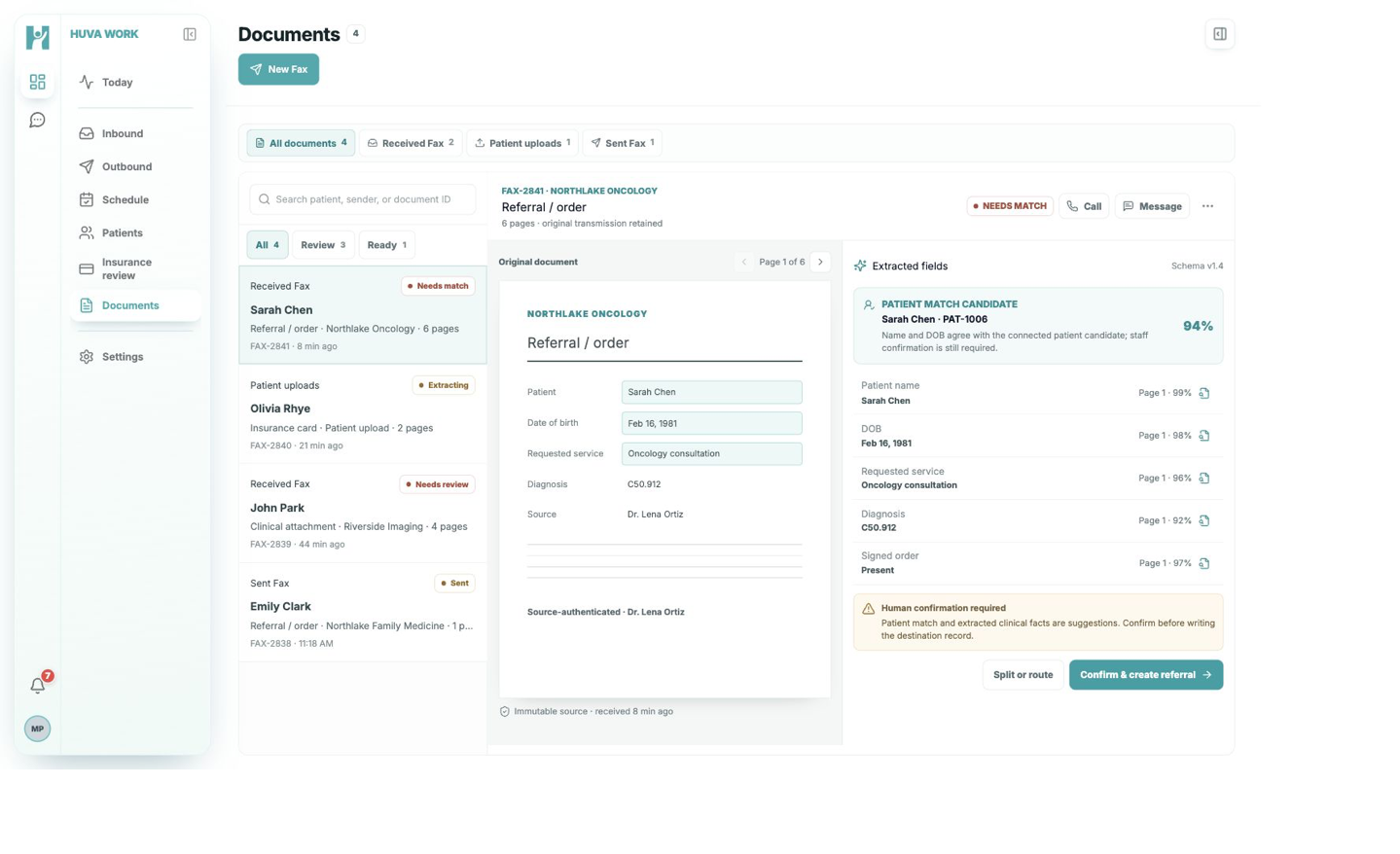
03FAX TO REFERRAL
Fax pages become a reviewable referral before anything is written.
HUVA preserves the original transmission, extracts referral fields with page-level provenance, and suggests a patient match. Staff confirm the match and facts before the referral is created.
- Original transmission retained
- Extracted fields tied to source pages
- Patient-match confidence shown for review
- Human confirmation required before record creation
One product for the work that arrives before the visit.
Call handling
Handle routine incoming and outgoing calls, capture the request, and leave a structured outcome for the team.
Scheduling requests
Offer available times within clinic-defined rules and route exceptions or clinical symptoms to staff.
Unified intake
See phone, web, message, and Fax requests in one queue with a visible owner and status.
Fax and referrals
Retain the source, classify the document, extract fields, and prepare referral work for confirmation.
Staff handoffs
Bring the right context forward when a request is urgent, incomplete, or outside clinic policy.
Connected case history
Keep the call, patient, appointment, documents, and next action connected as work continues.
CLINIC CONTROL
HUVA prepares the work. Your team decides what moves forward.
Front Desk uses AI models on HIPAA-compliant AI infrastructure. Its retained patient and operational records are stored only in the clinic’s private cloud. Approved integrations, clinic policies, and human review govern what moves forward.
- 01Clinic-defined rules
Scheduling and routing follow the policies confirmed during onboarding.
- 02Source retained
Calls and incoming documents remain available with the structured case.
- 03Review before action
Uncertain matches, extracted facts, and exceptions wait for a person.
EHR CONNECTIONS
Fit Front Desk into the systems your clinic already uses.
Connection scope is confirmed for each clinic during onboarding. eClinicalWorks and Elation are currently represented in our integration planning.


What clinics usually ask first.
Does HUVA replace front desk staff?
No. HUVA handles defined routine work and prepares structured cases. Staff remain responsible for exceptions, clinical judgment, and final decisions.
Can HUVA work with our current phone and EHR setup?
Phone, EHR, and workflow connection requirements vary by clinic. We confirm the supported scope and implementation plan during onboarding.
How are Fax and referral documents handled?
HUVA retains the original transmission, classifies the document, extracts relevant fields, and prepares patient matching and referral work for human confirmation.
Should we send patient information through the onboarding form?
No. The marketing onboarding form is for clinic and workflow information only. Do not submit patient or protected health information.
Show us how intake works in your clinic.
We will review your setup, prepare a relevant Front Desk demonstration, and discuss the path to a controlled clinic rollout.
Do not include patient or protected health information in the demo request.